Surface Marks FX - Blood, Scorch, Footprints and Tyre Tracks for Godot 4
Play the demo above, right in your browser: walk through blood, shoot, throw paint (P), set off explosions (right click) and watch the car's tracks pick up every colour it rolls through. The same demo ships in the pack.
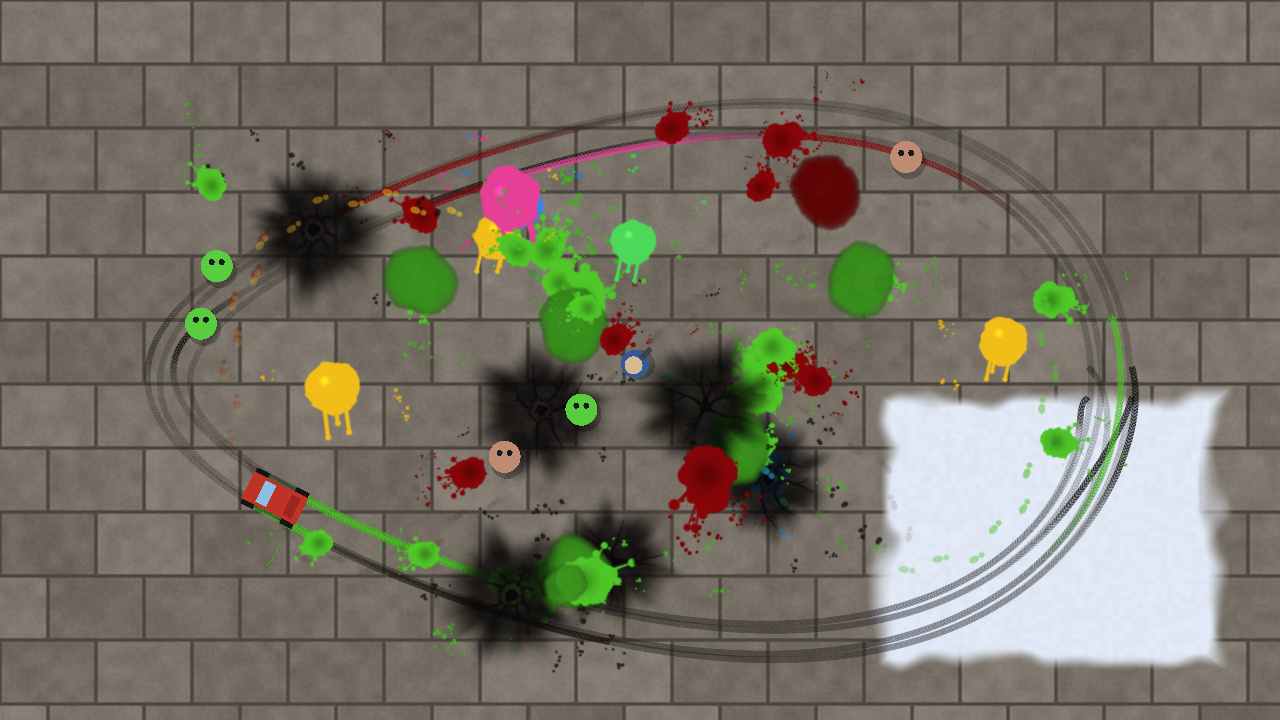
Persistent decals for Godot 4, in 2D and 3D. Blood splats, scorch marks, cracks, footprints, paw and hoof prints, tyre tracks, skid marks, paint, slime and drag marks that stay where they land. A 2D layer with no limit on marks, and 3D decals that wrap over floors, walls and props. One line per mark:
$Marks.stamp(SurfaceMarks2D.Brush.SPLAT, hit_position, hit_direction.angle() + PI / 2, 80.0, Color.DARK_RED)Pure GDScript and shaders. Every brush is drawn by a shader and baked into atlases that ship with the pack (bake new random shapes in one command). Nothing to enable to use it in game; an optional editor plugin lets you paint marks by hand.
Everything that stays on the ground
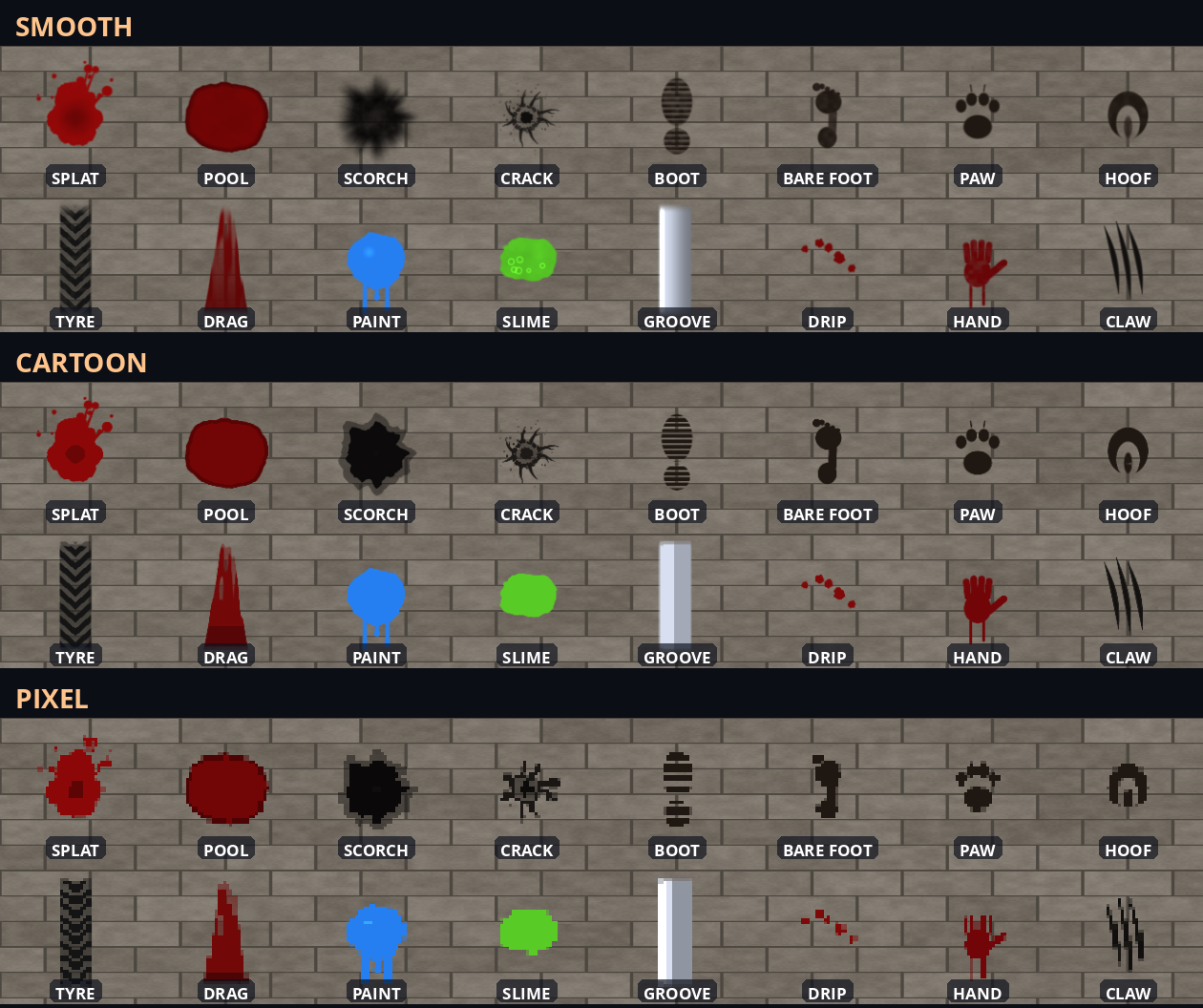
- 16 brushes: splat, pool, scorch, crack, boot, bare foot, paw, hoof, tyre, drag, paint, slime, groove (a furrow in snow or sand), drip, a bloody handprint and claw marks.
- 4 shapes per brush, so repeated hits do not look copied. Pick one or let it be random.
- Tinted by the colour you pass: the same pool is blood, oil or water.
erase_at(position, radius)to mop it up,clear()to wipe the layer.- A
stampedsignal for each mark, andwet_at(position)to ask how wet the ground is somewhere.
Emitters, ready to drop in
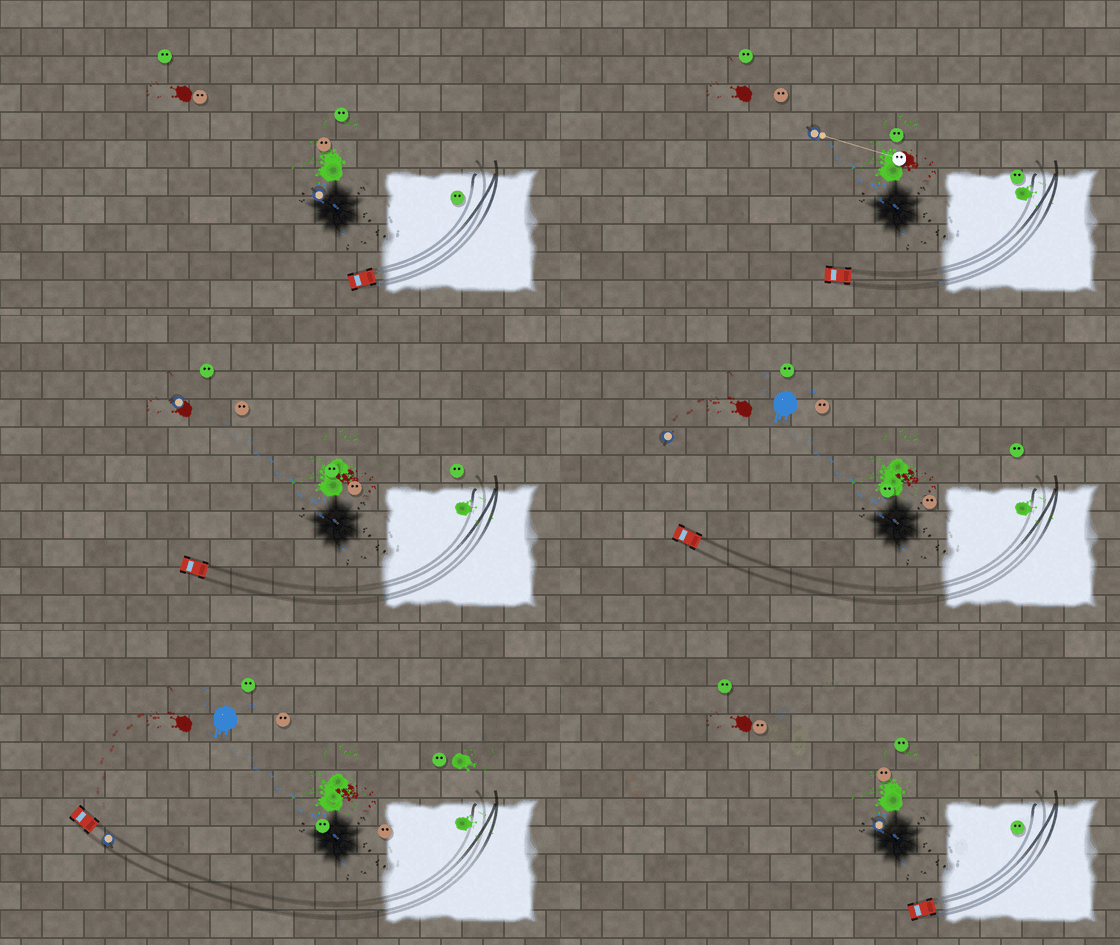
- FootprintEmitter2D: left and right prints as a character walks. Walk through blood and the next prints turn red, then fade back as the liquid wears off.
- TrackEmitter2D: one track per wheel under a vehicle. When it slides sideways, the tracks darken into skid marks.
- SplatterEmitter2D:
splat(at, direction, strength)throws a splatter with droplets,pool(at)spreads a pool under a body. - FootprintEmitter3D: prints on the ground below a character, following slopes, stopping in the air, red after a pool of blood.
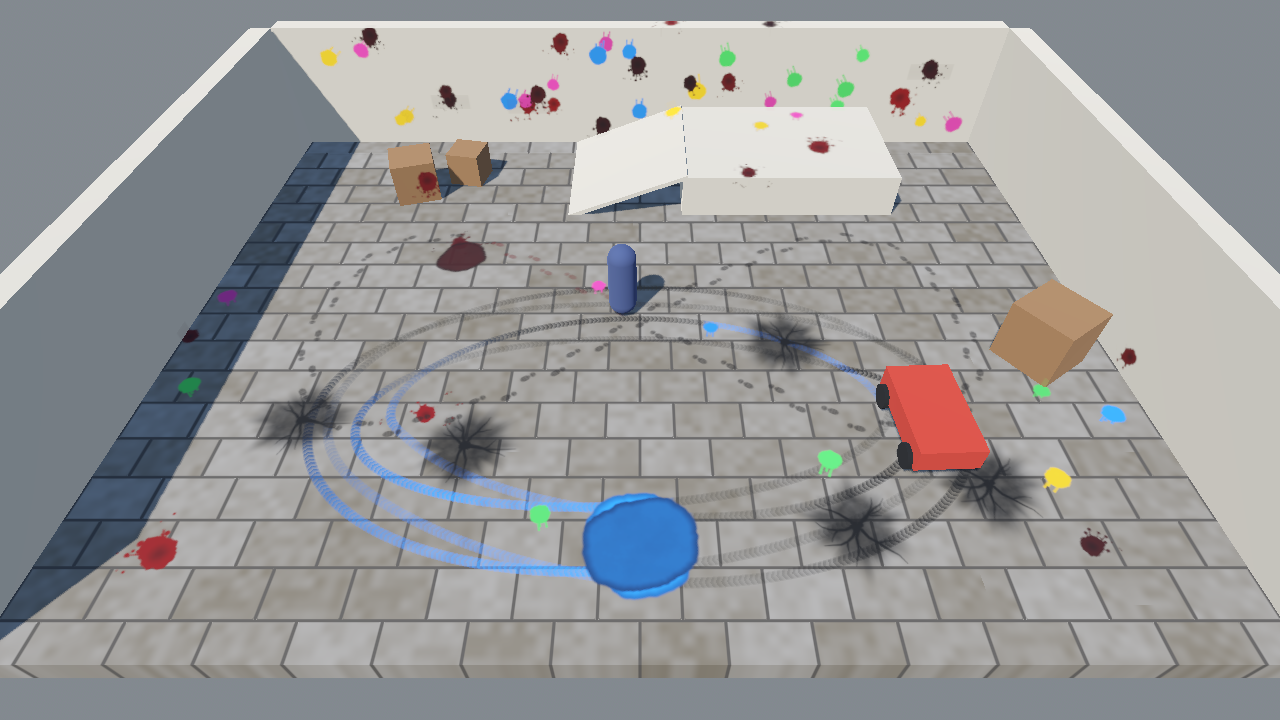
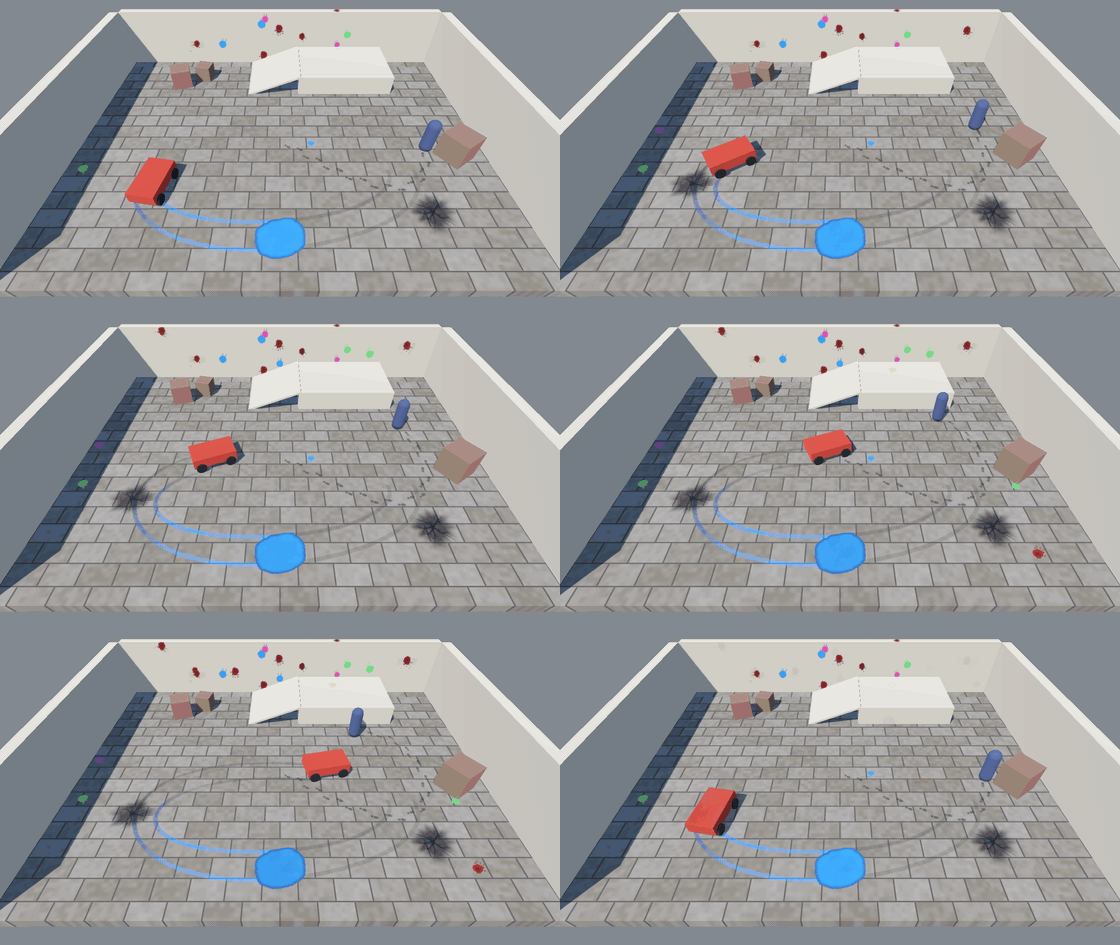
- TrackEmitter3D: a continuous ribbon per wheel, laid on the ground. It follows bumps, breaks when a wheel leaves the ground, darkens into skid marks, and leaves coloured tracks for a few metres after a puddle. Long tracks stay cheap: no decals involved.
- SplatterEmitter3D: the splash lands on whatever is behind the hit, like the wall behind an enemy, with droplets around it;
pool(at)spreads a pool on the ground.
Emitters find the marks layer of the scene by themselves. Set their layer to use another one, like a snow field with its own layer.
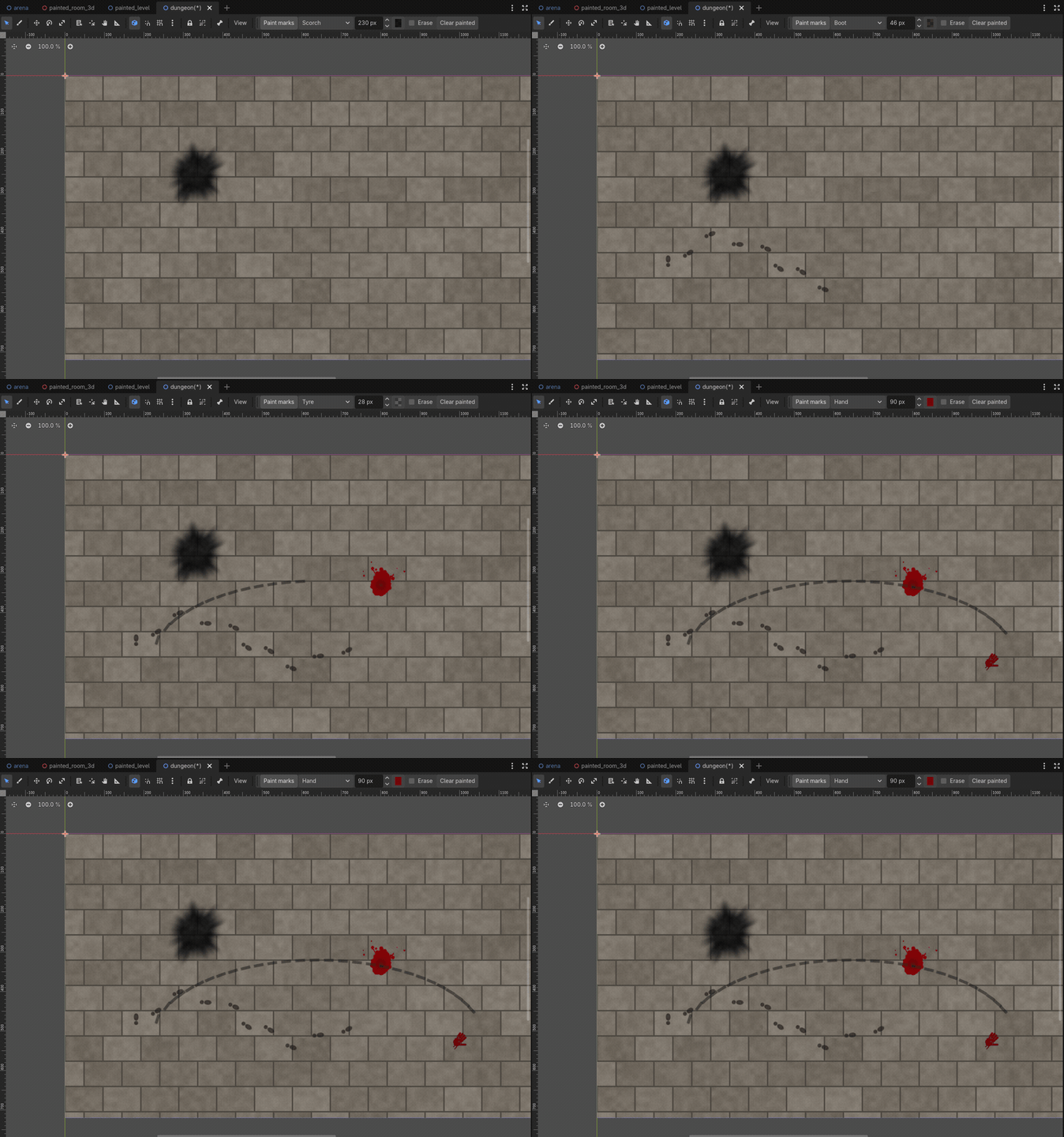
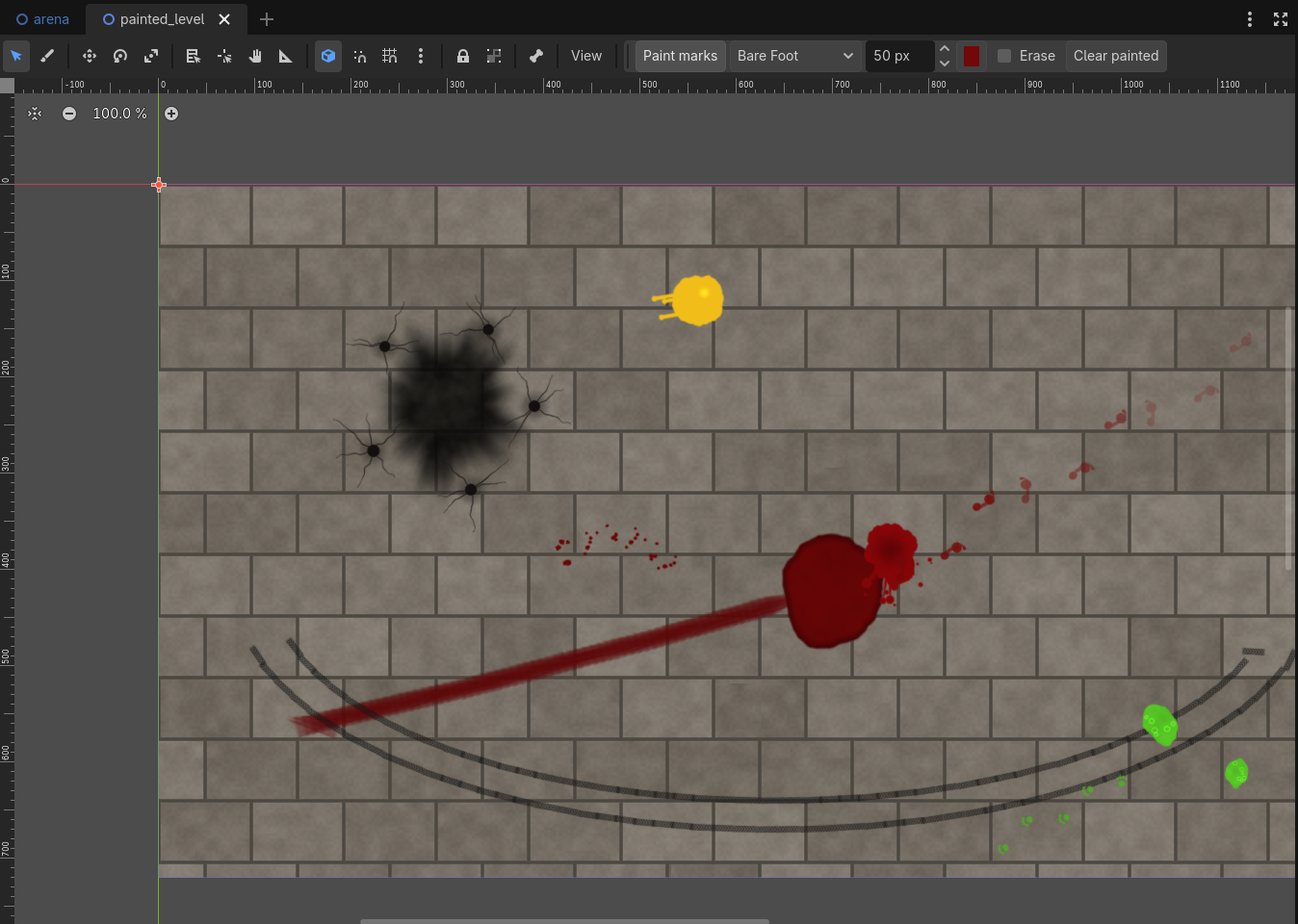
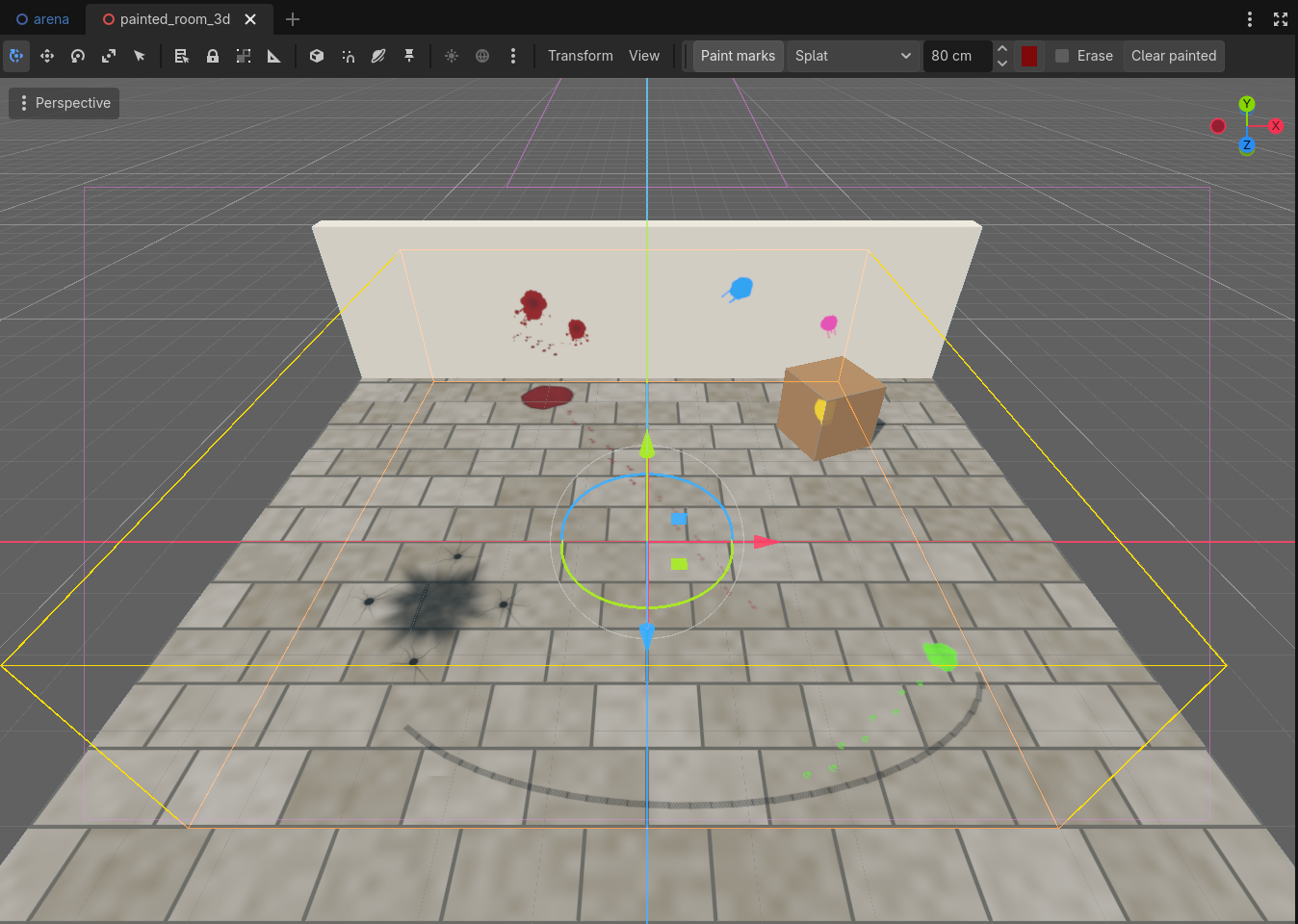
Paint marks in the editor
Dress a level by hand: old blood in a corridor, scorch around a crater, a trail of prints to a hidden door. In 2D and in 3D. Select a SurfaceMarks2D or a SurfaceMarks3D, press Paint marks in the toolbar, pick a brush, a size and a colour, and click or drag. Footprints alternate left and right along your stroke, tyre marks join into one track, in 3D the marks land on the surface under the mouse, lined up with it, and every stroke is one undo step. The painted marks are saved with the scene, move with the node and redraw with any backend or style.
2D: no limit, nothing to pay per frame
The default backend paints marks into GPU tiles that are never cleared, and tiles exist only where something was drawn. Stamp a thousand marks and the frame cost stays flat. Need marks that dry, fade and vanish one by one, or that glow? Switch backend to the mark pool. Your code does not change.
- Normal, add and erase modes.
- Marks only where you allow them: give
allowed_areaa Polygon2D, a CollisionPolygon2D, a TileMapLayer or a TileMap. - Positions, sizes and angles are in world units, so a 64 px mark stays 64 px under a scaled or rotated parent, like a pixel art game zoomed x4.
- Blood turns dark brown as it dries, other colours just darken (
dry_time); marks can fade out (fade_time,tile_fade_time).
3D: decals that wrap
Add a SurfaceMarks3D node and fire a ray from your gun, or place a mark yourself:
$Marks3D.stamp_ray(muzzle_pos, muzzle_pos + aim_dir * 50.0, SurfaceMarks2D.Brush.SPLAT, 0.8, Color(0.5, 0.02, 0.03))On Forward+ the marks are Decal nodes that bend over edges, steps and props. On Mobile and Compatibility they are flat quads laid on the surface: they look the same on flat ground and walls, but do not bend over edges. The mode is picked for you, or set method yourself. Marks dry and can fade like in 2D, and paint_layers keeps your characters clean.
Three styles
Smooth, Cartoon (flat colours, clean outline) and Pixel (with a pixel_filter option for pixel art games). One property switches the look of every brush. Want other random shapes? Run the included baker with a new seed.
Save and load
var state: Dictionary = $Marks.save_state()
$Marks.load_state(state)
Store the dictionary with store_var. Only the tiles that were drawn on are saved, and the mark pool saves each mark with its age, so a dry mark stays dry after loading.
Numbers
Measured on a desktop GPU (RTX 4070 Ti) at 1280x720, Godot 4.7.
- 100 stamps of 48 px every frame, spread over 10 layers: 0.44 ms of script time with GPU tiles, 0.30 ms with the mark pool.
- A frame with 2000 marks on screen and nothing new: 0.08 ms with GPU tiles, 0.11 ms with the pool.
- Memory: 1 MB per 512 px tile drawn on. The mark pool uses none.
- 3D: 1000 decals cost 0.17 ms of CPU and 0.11 ms of GPU per frame. Drying and fading take 0.11 ms per frame, spread evenly.
- A 4 wheel vehicle with 4000 points of track: 0.13 ms per frame while driving.
- A layer or node with nothing to update costs nothing.
Forward+ shows at most 512 decals and lights in view by default. For more than about 480 marks, raise Max Clustered Elements in the project settings (the node warns you).
What is inside
- The
addons/almios_surface_marksfolder: the SurfaceMarks2D and SurfaceMarks3D layers, six emitters (three 2D, three 3D), the editor painter, the shaders, the brush baker and the three brush atlases - A 2D demo arena: a hero, slimes, a car and a snow field
- A 3D courtyard: a walker, a drifting cart, a puddle of paint, splatters
- A 2D level and a 3D room painted in the editor, to open and paint on (Tab goes through the four demos)
- README with every setting and the save/load recipe
Compatibility
Godot 4.3 and later (tested on 4.3 and 4.7). Forward+, Mobile and Compatibility renderers, 2D and 3D.
License
Use in unlimited personal and commercial projects. Please do not resell or redistribute the pack itself.
More from Dimension Almios
- Lightning FX: procedural lightning for 2D and 3D, strikes, chains and arcs
- Trails FX: sword trails, afterimages and slash arcs for 2D
- Game Feel Kit: hitstop, screen shake, flash, spark and impact frames in one line of code
- Elemental Combat FX: burn, frost, electric, poison, petrify, curse, holy light, cloak and more
- Free: Screen Shake, Day and Night Sky, CRT Lite, Afterimage
Purchase
In order to download this asset pack you must purchase it at or above the minimum price of $7.99 USD. You will get access to the following files:
Leave a comment
Log in with itch.io to leave a comment.